How to Find Verified Fortune 500 Company Email Addresses

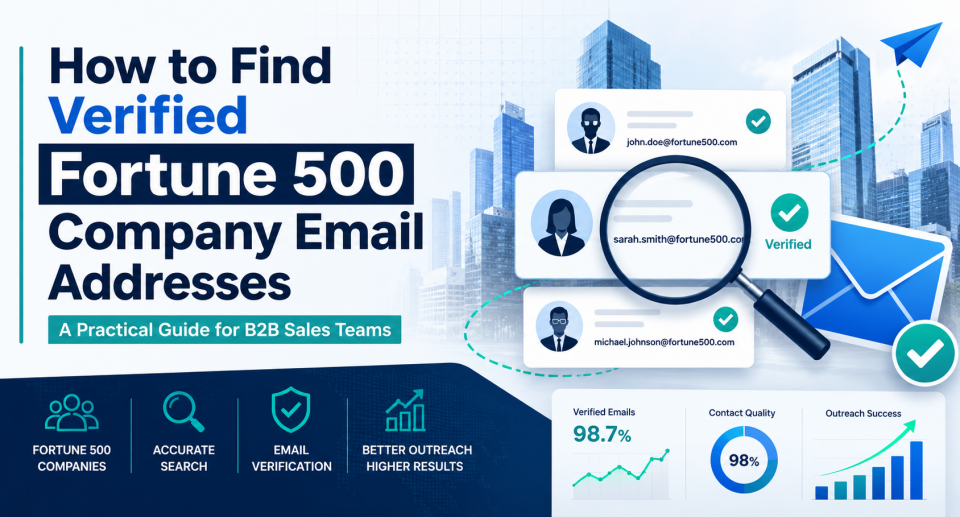
Finding email addresses at Fortune 500 companies is not difficult. Finding the right email addresses is the hard part: accurate, role-relevant, compliant, and useful for sales outreach.
Enterprise prospecting often fails when teams confuse “more contacts” with “better pipeline.” A large spreadsheet of unverified Fortune 500 email addresses may look valuable, but it can lead to bad data, bounced emails, poor sender reputation, wasted SDR time, and privacy risks.
This guide explains how to find verified Fortune 500 company email addresses in a way that supports real B2B outreach: targeting the right accounts, identifying the right buyers, validating contact data, and keeping compliance in view.
Why Fortune 500 Email Prospecting Requires a Different Approach
Fortune 500 companies are large, complex organizations. They often have multiple business units, regional offices, subsidiaries, procurement teams, compliance departments, and layered decision-making structures.
That means a generic contact list is rarely enough.
A sales team targeting a Fortune 500 account usually needs to answer four questions:
- Which division or business unit is relevant?
- Who owns the problem your solution solves?
- Who influences the buying decision?
- Is the email address accurate and appropriate to use?
The scale of these companies makes research especially important. Fortune reported that its Global 500 companies generated $41.7 trillion in revenue in 2024 and employed 70.1 million people, underscoring the breadth and complexity of enterprise account structures.
For sales and marketing teams, the practical lesson is simple: treat Fortune 500 prospecting as account research plus contact verification, not just list building.
What “Verified” Really Means
A verified Fortune 500 email address is not just an email that appears in a database.
For B2B prospecting, verification should include several checks:
- The email format is valid.
- The mailbox is likely active.
- The person still works at the company.
- The role matches your target buyer or influencer.
- The domain belongs to the correct parent company, subsidiary, or business unit.
- The contact source and outreach process align with applicable privacy and email rules.
This matters because enterprise companies often have similar domains, acquired brands, regional variations, and outdated employee records across the web.
For example, a Fortune 500 healthcare company might have separate domains for corporate, provider, insurance, investor, and subsidiary operations. A valid-looking email address may still be irrelevant if it points to the wrong unit or an inactive employee.
Step 1: Start With Account Fit Before Searching for Emails
Before finding individual email addresses, define why the company belongs on your target account list.
A useful account-fit checklist includes:
- Industry
- Company size
- Geography
- Business unit relevance
- Technology environment
- Regulatory environment
- Trigger events
- Existing vendor relationships
- Likely pain points
- Buying committee complexity
This prevents your team from spending time on Fortune 500 companies that are impressive but commercially weak.
For example, a cybersecurity vendor may prioritize Fortune 500 financial services, healthcare, and retail companies because those industries have stronger regulatory and risk drivers. A logistics software company may focus on manufacturers, distributors, and retailers with complex supply chains.
The goal is not to email anyone at a famous company. The goal is to identify accounts where your offer has a credible business reason to exist.
Step 2: Map the Buying Committee
Fortune 500 purchases rarely depend on one person.
Depending on your product or service, the buying committee may include:
- Economic buyer
- Department leader
- Technical evaluator
- Procurement contact
- Legal or compliance reviewer
- Finance stakeholder
- End-user manager
- Executive sponsor
For example, if you sell data governance software, the relevant contacts may include leaders in data, IT, security, compliance, analytics, and procurement. If you only find the CIO’s email address, your outreach may miss the people actively researching the problem.
A stronger approach is to build a contact map by function:
| Executive | CIO, CISO, COO, CFO | Budget, strategic priority, risk ownership |
| Department | VP, Director, Head of Function | Owns the operational problem |
| Technical | IT, Security, Data, Engineering | Evaluates feasibility and integration |
| Procurement | Sourcing, Vendor Management | Manages vendor process |
| Legal and Compliance | Counsel, Risk, Privacy | Reviews contracts and regulatory exposure |
| Practitioner | Manager, Team Lead | Feels the pain and influences adoption |
This structure helps your team avoid over-personalizing outreach to the wrong person.
Step 3: Use Reliable Sources to Identify the Right People
There are several ways to find likely contacts at Fortune 500 companies. The best approach is to combine multiple sources rather than rely on a single database.
Company Websites
Company websites often list executives, media contacts, investor relations contacts, leadership teams, and department heads.
Useful pages include:
- Leadership pages
- Investor relations pages
- Press releases
- Annual reports
- Business unit pages
- Regional office pages
- Partner or supplier portals
- Careers pages
These sources are useful for senior-level contacts and organizational context, but they rarely provide full email coverage.
LinkedIn and Professional Profiles
LinkedIn can help identify current roles, reporting structures, job changes, and business unit affiliations.
Use it to confirm:
- Current employer
- Job title
- Location
- Business unit
- Recent role changes
- Shared connections
- Public posts related to your topic
However, LinkedIn alone does not verify email deliverability. It helps confirm relevance, not email accuracy.
Press Releases and Event Pages
Enterprise decision-makers often appear in:
- Conference speaker pages
- Webinar panels
- Award announcements
- Product launch announcements
- Regulatory filings
- Industry association pages
These sources can reveal individuals publicly associated with a business initiative. That makes outreach more relevant than contacting a generic executive.
B2B Data Providers
B2B data platforms can speed up contact discovery, especially when you need scale. They may provide names, titles, company domains, direct dials, firmographics, technographics, and email addresses.
The risk is that data quality varies. Before using a provider, ask:
- How often is the data refreshed?
- How is employment status verified?
- Are email addresses validated in real time?
- Can contacts be filtered by business unit or geography?
- What privacy and compliance controls are included?
- Does the provider explain data sources and opt-out processes?
- Can your team suppress unsubscribed or restricted contacts?
A provider should improve targeting quality, not just increase list volume.
Step 4: Confirm the Company Email Pattern
Many enterprise companies use predictable email patterns, such as:
- firstname.lastname@company.com
- firstinitiallastname@company.com
- firstname_lastname@company.com
- firstname.lastname@businessunit.company.com
But Fortune 500 companies may exhibit multiple patterns due to mergers, subsidiaries, regions, and legacy systems.
Use email pattern discovery carefully. Pattern guessing can help identify likely formats, but it should not replace verification.
A practical workflow:
- Find several publicly available employee email examples from trusted sources.
- Identify the dominant company email pattern.
- Check whether subsidiaries or regions have separate domains.
- Generate likely emails only for contacts with confirmed current roles.
- Run verification before outreach.
Avoid creating large guessed lists and sending campaigns without validation. That creates unnecessary bounce-back risk and may result in irrelevant outreach.
Step 5: Verify Email Deliverability Before Outreach
Email verification tools typically check whether an address is formatted correctly, whether the domain exists, whether mail servers are configured, and whether the mailbox is likely deliverable.
A good verification process should classify emails into categories such as:
- Valid
- Invalid
- Risky
- Catch-all
- Unknown
Do not treat “catch-all” or “unknown” as fully verified. Large companies often use catch-all configurations or security systems that make verification less certain.
For Fortune 500 outreach, use a conservative threshold. A smaller list of verified, relevant contacts is usually more valuable than a larger list with uncertain deliverability.
You should also monitor campaign-level signals:
- Bounce rate
- Reply rate
- Unsubscribe rate
- Spam complaint rate
- Domain-level deliverability
- Engagement by persona
- Meeting conversion rate
Verification is not a one-time task. Enterprise contact data decays as people change roles, companies reorganize, and domains shift.
Step 6: Check Compliance Before Sending Commercial Email
Finding an email address does not automatically mean you should use it.
In the United States, commercial email is regulated under the CAN-SPAM Act. The FTC says commercial emails must avoid false or misleading header information and deceptive subject lines, identify the message as an ad where applicable, include a valid physical postal address, provide a clear opt-out mechanism, and honor opt-out requests promptly.
For contacts in the European Union or where GDPR applies, teams need a lawful basis for processing personal data. The European Commission explains that legitimate interest may apply in some business contexts, but organizations must inform individuals about the processing and ensure that the person’s rights and freedoms are not seriously affected.
California privacy rules may also matter. The California Attorney General describes the CCPA as giving consumers more control over personal information collected by businesses, including rights to know, delete, correct, and opt out of certain uses of personal information.
This is not legal advice. The operational takeaway is clear: your outreach process should include suppression lists, unsubscribe handling, data-source documentation, and regional compliance review.
Step 7: Prioritize Relevance Over Volume
A common mistake in Fortune 500 prospecting is building a large contact list and then sending generic outreach.
That usually performs poorly because enterprise buyers receive large volumes of vendor messages. Relevance is the filter.
A better sequence is:
- Pick the right account.
- Identify a specific business unit or initiative.
- Map the buying committee.
- Verify the contact’s role and email.
- Personalize the reason for outreach.
- Offer a useful next step.
For example, instead of saying:
“I help Fortune 500 companies improve efficiency.”
A stronger message would be:
“I noticed your retail operations team has been investing in inventory visibility across regional fulfillment networks. We help supply chain leaders reduce manual exception handling by connecting order, warehouse, and carrier data in one workflow.”
The second message is more specific because it connects the contact, business unit, problem, and potential outcome.
Common Mistakes to Avoid
Buying a Generic Fortune 500 Email List
A generic Fortune 500 email list may include outdated contacts, irrelevant roles, personal data with unclear sourcing, and high-risk addresses. It may also encourage the team to send broad campaigns instead of targeted outreach.
Targeting Only Senior Executives
Executives matter, but they are not always the best first contact. Directors, department heads, technical evaluators, and operations leaders may be closer to the active problem.
Ignoring Subsidiaries and Business Units
Large companies often operate through multiple brands, divisions, and regional entities. Make sure the contact belongs to the part of the company that has the problem you solve.
Treating Email Verification as Compliance Approval
Deliverability verification only tells you whether an email may work technically. It does not determine whether your use of that email is compliant or appropriate.
Sending the Same Message to Every Contact
Enterprise outreach works best when it aligns with the recipient’s function, business context, and likely priorities. Generic personalization, such as inserting a first name and company name, is not enough.
A Practical Workflow for Finding Verified Fortune 500 Email Addresses
Use this process when building an enterprise prospecting list.
1. Build the Account List
Start with the Fortune 500 companies that match your ideal customer profile. Filter by industry, region, business model, and likely pain point.
2. Segment by Use Case
Group accounts by the business problem you solve. For example:
- Supply chain visibility
- Cloud security
- Employee benefits administration
- Procurement automation
- Customer data management
- Regulatory reporting
3. Identify Relevant Departments
For each use case, list the departments that own or influence the problem.
4. Find Named Contacts
Use company websites, LinkedIn, press releases, events, filings, and reputable data providers to identify current employees.
5. Confirm Role Relevance
Check whether each contact has decision-making authority, influence, or operational relevance.
6. Identify the Correct Domain
Confirm whether the person belongs to the parent company, a subsidiary, a brand, or a regional domain.
7. Verify the Email
Use email verification to classify addresses as valid, risky, catch-all, or unknown.
8. Apply Compliance Controls
Check suppression lists, opt-out status, regional rules, and internal policies before outreach.
9. Personalize by Business Context
Tie outreach to a specific business issue, initiative, role, or trigger.
10. Measure Quality
Track meetings booked, replies, bounce rates, and opportunity creation by source and persona.
What to Look for in an Email Verification or B2B Data Tool
If your team is evaluating tools, focus on quality and process fit.
Key criteria include:
- Real-time email verification
- Employment status checks
- Firmographic and technographic filters
- Department and seniority filters
- CRM integration
- Suppression list support
- Data-source transparency
- Regional privacy controls
- Bulk verification
- API access for RevOps workflows
- Clear handling of catch-all and risky emails
Ask vendors:
- How do you verify Fortune 500 contacts?
- How often is your enterprise data refreshed?
- How do you handle subsidiaries and alternate domains?
- What happens when a contact changes jobs?
- Can we see confidence scores or verification categories?
- How do you support opt-out and privacy requests?
- Can we automatically exclude risky or uncertain addresses?
Red flags include vague data-sourcing claims, no explanation of verification methods, no compliance documentation, and an emphasis on list size over accuracy.
Final Checklist
Before using Fortune 500 email addresses in outreach, confirm:
- The company fits your ICP.
- The business unit is relevant.
- The contact still works there.
- The role matches your buyer map.
- The email address has been verified.
- The domain is correct.
- Risky or unknown addresses are excluded or handled carefully.
- Suppression lists are applied.
- Outreach complies with applicable rules.
- The message explains a relevant business reason for contacting the recipient.
Conclusion
The best way to find verified Fortune 500 company email addresses is not to chase the largest list. It is to build a disciplined prospecting process that combines account selection, buying committee mapping, reliable contact research, email verification, and compliance controls.
For enterprise sales teams, accuracy matters more than volume. A smaller list of verified, relevant contacts can protect deliverability, improve reply quality, and help reps spend more time on meaningful conversations.