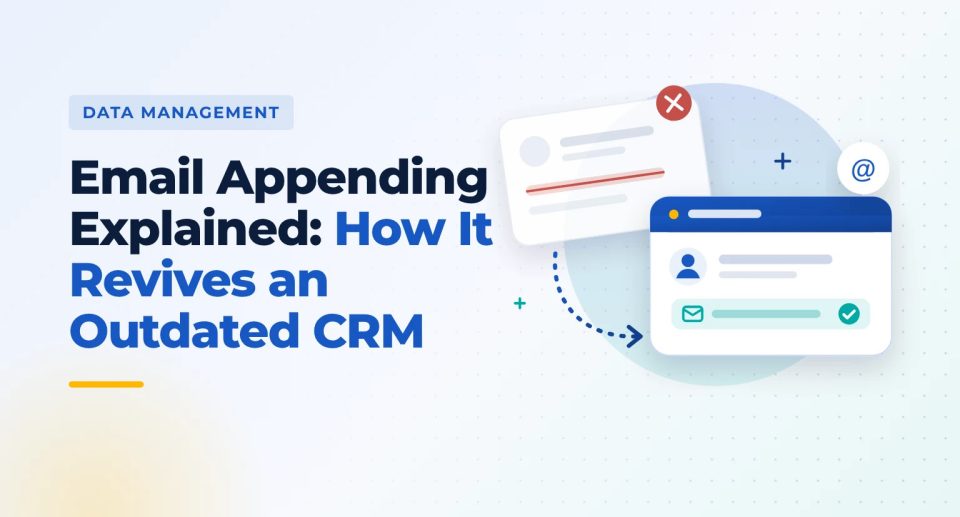
Email Appending Explained: How It Revives an Outdated CRM

Every CRM starts out clean. Then, quietly, it starts to rot.
A buyer moves to a new company. A prospect gets promoted and changes inboxes. A client is acquired and its email domain disappears overnight. Nobody updates the record, and months later your campaign bounces off a list you thought was fine.
The good news is that an outdated CRM is not a lost cause. The names, companies and history are still valuable. What is missing is current, deliverable email addresses, and that is exactly what email appending restores.
This guide explains what email appending is, why B2B data decays, how the process works step by step, and how to choose an email appending service you can trust.
What is email appending?
You send the provider a file of contacts you already have, such as name, company, job title, postal address or phone number. The provider matches each record to its own data and returns the file with email addresses filled in where a confident match exists.
What a record looks like before and after
Before appending
After appending
Illustrative example with a fictional contact.
In B2B, email appending is often part of a wider data append service that can also fill in phone numbers, job titles, company size or industry codes.
Why CRM data goes stale
Business email addresses are tied to employment, so every career move breaks one. Industry estimates commonly put B2B contact decay at about 2.1% a month, compounding to roughly 22.5% to 30% a year. At that rate, a 10,000-contact list loses 2,250 to 3,000 valid addresses in 12 months without sending a single email (Instantly, 2026).
Treat that figure as a planning range rather than an exact rule. Decay varies by industry, and fast-moving sectors like SaaS tend to decay faster.
The four main causes of decay
Job changes
According to BLS data, median job tenure fell to 3.9 years in January 2024, down from 4.1 years in 2022 (via Instantly). When someone leaves, their inbox is typically shut down within 30 to 90 days.
Promotions and role changes
The address may still work, but the person no longer owns the budget you are pitching.
Mergers and acquisitions
When one company absorbs another, every address on the old domain can stop working at once.
Domain and IT changes
Rebrands, email migrations and security policies can change address formats without warning.
What stale data costs you
Bounces that hurt your sender reputation. Instantly notes that bounce rates above 2% invite throttling by inbox providers, and above 5% raise blacklisting risk.
Wasted rep time chasing contacts who left long ago.
Lost pipeline from good accounts that simply became unreachable.
How email appending works, step by step
Most email append services follow the same six steps.
-
01
Export and prepare your file
Pull the records that need emails from your CRM. Include as many matching fields as you can: first and last name, company name, website, job title, postal address and phone.
-
02
Clean and deduplicate
Remove duplicates and fix obvious errors so each contact appears once and matches cleanly.
-
03
Match against a verified database
The provider compares each record with its own data, using the name and company as the anchor and the other fields to confirm it is the same person.
-
04
Verify the matched emails
Good providers check that each appended address is deliverable before returning it, not just correctly formatted.
-
05
Return the enriched file with a match report
You receive your original file with emails added, plus a summary of how many records matched.
-
06
Re-import and re-engage
Load the updated records into your CRM, suppress anyone who should not be contacted, and start with a short, relevant re-introduction email.
6 benefits of email appending for B2B teams
01
Revive contacts you already paid for
Every record in your CRM cost money to acquire, whether through events, ads, content or past purchases. Appending brings those contacts back into reach instead of writing them off.
02
Protect sender reputation
Replacing dead addresses with verified ones lowers bounce rates, which keeps inbox providers from throttling or filtering your mail.
03
Turn single-channel contacts into multichannel ones
Many CRMs hold contacts captured from trade shows, direct mail or phone calls with no email. Appending opens email as a second channel.
04
Prepare your CRM for automation and AI tools
Sequencers and AI sales agents send to whatever data they are given. Appending and verifying first means they work from current records, not stale ones.
05
Reach the right person after a job change
When a champion moves to a new company, an updated record lets you follow them there. A former customer at a new company is often one of the warmest leads you can get.
06
Cost less than replacing the list
Appending fills the gaps in records you already own. You only pay to update what is missing, rather than buying an entirely new list.
How to choose an email appending service
Judge email appending companies on accuracy and transparency, not the size of their database. Ask these questions before you send a file.
01Do you verify appended emails before returning them?
Yes, with a deliverability status on each address
02How do you confirm a match?
Several fields, not name alone
03Do I pay for every record or only matches?
Pricing based on successful matches
04Can you run a test file first?
Yes, on a sample of your own records
05Do you provide a match report?
Yes, showing match rate and verification results
06How do you handle my data?
Clear security and confidentiality terms, with your file not resold
07Can you append other fields too?
Phone, title, industry and company size options
Compliance after appending
Appended B2B emails can be used for outreach in the US as long as every message follows CAN-SPAM: accurate sender details, an honest subject line, a postal address and a working opt-out honored within 10 business days.
A few good habits on top of the law:
- Re-introduce yourself. Remind contacts how you know them, such as a past event, purchase or inquiry.
- Honor previous opt-outs. Never re-email anyone who unsubscribed before, even with a new address.
- Check regional rules. Contacts in Canada, the UK or the EU fall under CASL, UK GDPR or GDPR, which set stricter consent rules.
- Keep refreshing. Re-verify active segments at least every 90 days, since decay starts again the day you re-import.
Frequently asked questions
Q1
What is email appending?
Email appending is the process of adding missing or updated email addresses to existing contact records by matching details such as name, company and job title against a verified database.
Q2
How does an email append service work?
You send a file of existing contacts. The provider cleans it, matches each record to its own verified data, checks the matched emails for deliverability, and returns your file with email addresses added plus a match report.
Q3
What is reverse email append?
Reverse email append works the other way around. You supply email addresses, and the provider adds the names, postal addresses or phone numbers linked to them.
Q4
How often should I append or update my CRM data?
Industry estimates put B2B data decay at roughly 22.5% to 30% a year, so most teams re-verify active segments at least every 90 days and run an append before any major campaign or CRM migration.
Q5
Is email appending legal for B2B?
In the US, yes, provided every email follows CAN-SPAM, including an accurate sender, an honest subject line, a postal address and a working opt-out. Other regions such as Canada, the UK and the EU have stricter consent rules, so check before emailing contacts there.
Q6
What is the difference between email appending and data enrichment?
Email appending adds email addresses specifically. Data enrichment is broader and can add or update many fields, such as job title, phone, industry, company size and technology used.