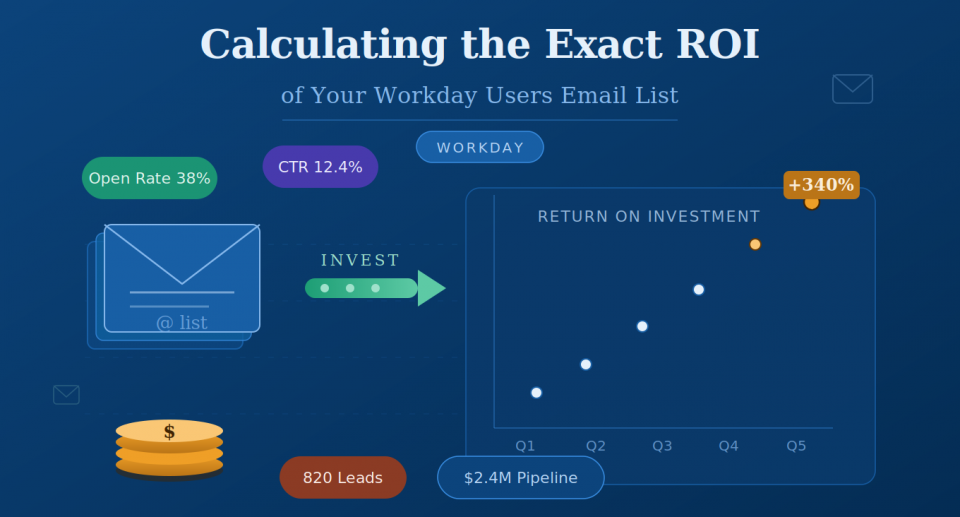
Calculating the Exact ROI of Purchasing Our Workday Users Email List

Why Most Buyers Calculate ROI Wrong
Your finance team asked you to justify the spend. You submitted a rough number — “if we close even one deal, it pays for itself” — and moved on.
That’s not ROI math. That’s wishful thinking with a spreadsheet open.
The problem isn’t that B2B marketers are bad at math. It’s that most vendors selling Workday users’ email lists make it nearly impossible to do honest ROI math. They hand you a contact count, quote a price per record, and leave you to figure out the rest.
Here’s what they don’t tell you: the raw contact count is the least important number in the entire ROI equation. What matters is the deliverability rate, job title accuracy, decision-maker concentration, and how tightly that list maps to your actual ICP.
A list of 10,000 records that’s 60% deliverable, filled with analysts and coordinators instead of CHRO and VP-level contacts, will underperform a list of 2,000 verified, senior-level decision-makers every time.
This guide gives you the exact framework to calculate ROI before you buy, not after you’ve already sent three campaigns and watched your domain reputation slide.
The 5 Numbers You Need Before You Buy
Before you open any vendor conversation, nail down these five inputs. Every ROI calculation flows from them.
1. Your Average Contract Value (ACV) This is your average closed-won deal size. Use the last 12 months of data. If you sell to HR or Finance leaders specifically, segment this number for that buyer type. Workday users skew enterprise, so your ACV for this segment is often higher than your company’s average.
2. Your Email-to-Opportunity Conversion Rate: How many cold email sequences result in a booked meeting or a qualified opportunity? Industry benchmarks suggest 1-3% for cold outbound to a well-matched ICP (Outreach State of Sales Report, 2023). If your sequences are strong and your ICP fit is tight, you can push toward 3-5%.
3. Your Opportunity-to-Close Rate: Out of every qualified opportunity your team works on, how many close? This is your win rate. Average B2B win rates range from 20% to 30% for most mid-market and enterprise sales motions (HubSpot, 2024 Sales Trends Report).
4. Your List Usable Rate: Not every record on a purchased list is actually usable. Expect some percentage to be duplicates, invalid emails, or out-of-scope contacts. A quality vendor should provide lists with 90%+ verified emails. A low-quality vendor might hand you data that’s 40-50% stale. This rate will make or break your math.
5. Your Sales Cycle Length ROI is not just about total return. It’s about time to return. A 90-day sales cycle means you’ll see pipeline velocity within a quarter. A 9-month enterprise cycle means you’re calculating returns across multiple quarters. Know this number before you model anything.
The Workday ROI Formula (Step-by-Step)
Once you have your five inputs, run this calculation:
Step 1: Calculate Usable Contacts
Total Contacts × Usable Rate = Usable Contacts
Example: 5,000 contacts × 90% = 4,500 usable contacts
Step 2: Calculate Expected Opportunities
Usable Contacts × Email-to-Opportunity Rate = Expected Opportunities
Example: 4,500 × 2% = 90 opportunities
Step 3: Calculate Expected Closed Deals
Expected Opportunities × Win Rate = Expected Closed Deals
Example: 90 × 25% = 22.5 deals (round to 22)
Step 4: Calculate Expected Revenue
Expected Closed Deals × ACV = Expected Revenue
Example: 22 × $18,000 = $396,000
Step 5: Calculate ROI
(Expected Revenue – List Cost) / List Cost × 100 = ROI %
Example: ($396,000 – $4,500) / $4,500 × 100 = 8,700% ROI
Key Takeaway Box: Even under conservative conversion assumptions (2% email-to-opp, 25% win rate), a verified Workday users list priced at $4,500 for 5,000 contacts can generate over $390K in expected revenue at an ACV of $ 18 K. The math works when the list quality holds.
The formula isn’t magic. It’s only as accurate as the inputs you feed it. Which is why list quality — specifically, the usable rate and the accuracy of job title and seniority data — is the variable that will swing your ROI calculation by orders of magnitude.
What a High-Quality Workday Users Email List Actually Contains
Not all “Workday user lists” are built the same way. Here’s what separates a list that generates a pipeline from one that tanks your sender score.
Verified direct emails, not role-based addresses. Role-based emails (info@, hr@, contact@) are flagged by spam filters and almost never reach decision-makers. Every record should have a verified direct work email tied to a named individual.
Job title and seniority filtering. If you sell to HR, Finance, or IT buyers who influence or own Workday, you need contacts at the right level. For most enterprise sales, you want: CHRO, VP of HR, Director of HR Operations, VP of Finance, CFO, and IT Director/CTO (for the technical implementation track). Coordinators and analysts are noise.
Company technographic data confirming Workday usage. The list should be built from technographic signals—not just company-size guesses. This means the vendor is cross-referencing job postings mentioning Workday, professional profiles listing Workday experience, and company tech stack data to confirm active usage.
Firmographic filters that match your ICP Industry vertical, employee count, revenue range, and geography should all be filterable. Workday is most heavily adopted in companies with 500+ employees across healthcare, financial services, professional services, and technology. If your ICP doesn’t match these segments, your list needs to reflect that.
Data recency (refreshed within 90 days). People change jobs. Titles change. Companies restructure. Data older than 6 months decays at a rate of roughly 2-3% per month (Dun & Bradstreet, 2023). A list sourced from 18-month-old data is already 30-40% stale before you send a single email.
The Hidden Cost of a Bad List
The price on the invoice is not the actual cost of a bad list. Here’s what you’re really paying when you buy stale or inaccurate data.
Domain reputation damage. High bounce rates (above 2%) trigger spam filters and can flag your sending domain. Recovering a damaged domain can take weeks and requires dedicated deliverability work. One bad campaign against a dirty list can suppress open rates for months across your entire outbound motion.
SDR time wasted on unqualified prospects. If your SDRs are manually researching and personalizing outreach, they’re investing 20-30 minutes per contact. A list that’s 40% wrong-level contacts means you’ve wasted 40% of their capacity on prospects who will never convert.
Attribution chaos. When campaigns perform poorly, teams often blame the message, the offer, or the product. Bad list quality is a root cause that rarely gets properly diagnosed. Teams change their entire GTM messaging based on the wrong signal.
The villain in every failed list campaign isn’t the email copy. It’s the data underneath it.
How to Pressure-Test Any List Vendor
Before you hand over a PO, run this five-question audit on any Workday users’ list vendor:
1. “What is your guaranteed email deliverability rate, and what’s your make-good policy if you miss it?” Any serious vendor should guarantee 90%+ deliverability and offer replacements or credits for bounced records. If they hedge on this question, walk away.
2. “How do you verify that these contacts are actually Workday users — not just employees of companies that might use Workday?” Push them to explain their technographic methodology. Are they using intent data? Job posting signals? Professional profile data? If the answer is “company size and industry,” that’s a proxy, not a signal.
3. “When was this data last refreshed for this specific segment?” Ask for the specific segment you’re buying, not a general company data policy. Data recency varies by vertical and seniority level.
4. “Can I see a sample of 100 records before I buy?” A quality vendor will say yes without hesitation. Review for: direct emails vs. role-based, seniority level distribution, job title specificity, and company size range.
5. “What’s your data sourcing methodology — and are you compliant with CAN-SPAM, GDPR, and CCPA?” Compliance isn’t a nice-to-have. If the vendor can’t clearly explain their data sourcing and compliance posture, you’re inheriting legal risk alongside bad data.
Running the Full ROI Calculation: A Real Scenario
Let’s run a real scenario for a mid-market HR tech company selling an onboarding automation platform. Their ICP is HR Directors and VP-level buyers at companies with 500-5,000 employees actively using Workday.
Their inputs:
- ACV: $22,000
- Email-to-opportunity rate: 2.5% (strong sequences, high ICP fit)
- Win rate: 28%
- List purchased: 3,000 verified Workday users contacts (HR Director+ at 500-5,000 employee companies)
- Usable rate: 92% (vendor-guaranteed, based on verified direct emails)
- List cost: $3,200
The math:
| Usable contacts | 3,000 × 92% | 2,760 contacts |
| Expected opportunities | 2,760 × 2.5% | 69 opportunities |
| Expected closed deals | 69 × 28% | ~19 deals |
| Expected revenue | 19 × $22,000 | $418,000 |
| ROI | ($418,000 – $3,200) / $3,200 × 100 | 12,931% ROI |
Even at half these conversion assumptions, this campaign returns $209,000 against a $3,200 investment.
The key driver in this scenario isn’t the email copy or the cadence length. It’s the ICP precision of the list. Workday users at companies of 500-5,000 employees are actively managing the complexity that this product solves. The list is doing qualification work before the first email is sent.
The One Metric That Determines Whether This Was Worth It
Every metric above feeds into one number: Pipeline Contribution per Dollar Spent (PCD).
Pipeline Generated / List Cost = PCD
Example: $1,518,000 pipeline (69 opps × $22,000 ACV) / $3,200 = $474 pipeline per dollar spent
Track this across all your list buys. It’s the metric that tells you which segments, vendors, and ICP definitions are generating real pipeline—not just open rates and click-throughs.
A healthy PCD for a verified, segmented contact list targeting a specific technology user base (like Workday) should be $100- $500 in pipeline generated per dollar invested. Below $50, and your list quality or ICP targeting needs work. Above $500, and you’ve found a repeatable motion worth scaling.
The final point: purchasing a Workday user’s email list is not a marketing expense. It’s a pipeline investment with a measurable, calculable return. Run the math before you buy. Demand the data quality that makes the math hold. And track PCD ruthlessly after every campaign.
When the list is right, the numbers aren’t close. They’re overwhelming.
Ready to Run This Calculation Against Your Own Numbers?
Before your next list purchase, plug your ACV, win rate, and email-to-opportunity rate into the formula above. If you’re targeting Workday users specifically, the segment precision alone will outperform generic industry lists by a significant margin.
The intelligence layer underneath your outbound motion determines everything. Start there.